
YOUR ONLINE CLOTHING PHOTO STUDIO
Resale photos that keep the actual piece in focus.
Give secondhand clothing a clear product presentation while keeping your original condition photos. Try an AI model, mannequin or flat lay, then review what changed.
Try 3 photos freeNo card required. See plans and credit pricing.
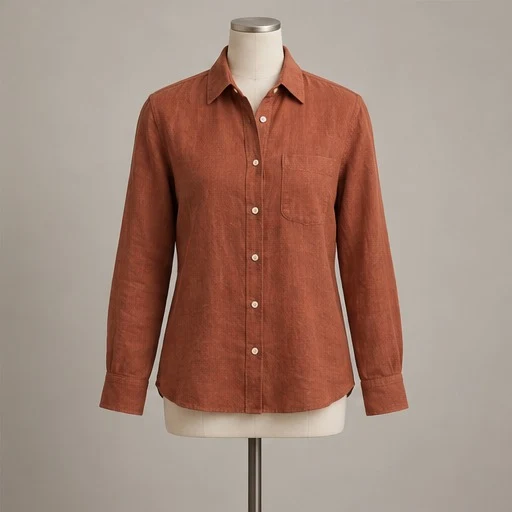
From your photo
to your shop.
Independent resale sellers who need a consistent lead image and a separate, detailed record of each item’s condition.
Record the garment as it is
Take clear front and back photos, plus labels, measurements and any wear. Photograph stains, repairs, fading or missing parts directly so you have a reliable record.
Create a lead image
Upload a clear view and choose a presentation that suits the piece. Use the product-photo workflow that keeps the garment and visible condition, rather than a separate design concept.
Check and assemble the listing
Compare the generated image with the item and your originals. Keep original condition and label photos in your listing, and use only the edited images that accurately represent the piece.
A styled image should not hide condition
Small flaws matter to a buyer. An AI result can smooth texture, alter colour, change lettering or lose a worn area even when the intended workflow preserves the garment. Inspect those areas deliberately. If the result conceals something important, use an original photo instead; a more polished lead image is not worth misrepresenting the item.
Photograph details the AI cannot verify
Use your camera for exact label text, serial details, sizing and measurements. AI staging does not authenticate a brand, verify material content or establish the fit of a secondhand garment. Write listing details from the physical item and your own records. Keep generated design concepts separate from photos of the item that is actually for sale.
A repeatable routine for one-off pieces
Pick a consistent background, frame each source photo similarly and review one piece at a time. Save the presentation you like for the next upload. After a photo is reviewed, prepare the product crop and social layouts from that existing result without using another image credit. Check the current image rules of the marketplace where you plan to list it.
A few useful answers.
Can Mannequin prove a garment’s authenticity?
No. Generated photos do not verify authenticity, label text, materials, measurements or condition. Use original evidence and your own checks.
Should I keep the original listing photos?
Yes. Keep originals for labels, the back of the garment, measurements and any wear. They give buyers useful detail that an AI-staged image cannot independently verify.
Can I remove signs of wear for a resale listing?
Use an accurate representation of the item you will sell. If an AI image hides a flaw or changes condition, use an original or another accurate image instead.
Ready for your next piece?
Create an account and try three AI photos free.
Compare every result with your original before sharing.