
YOUR ONLINE CLOTHING PHOTO STUDIO
Ghost mannequin photos. The garment takes focus.
Show the shape of a shirt, jacket or dress with an invisible-support look. Mannequin turns a clear source photo into an AI-staged product image you can compare with the original.
Try 3 photos freeNo card required. See plans and credit pricing.
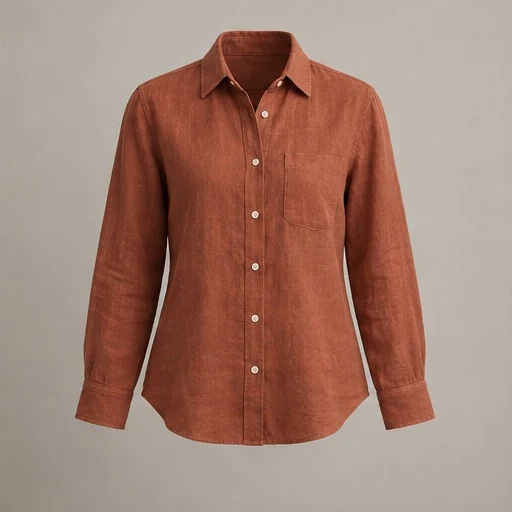
From your photo
to your shop.
Catalog images where the shape and construction of the garment should lead, with no person in the frame.
Photograph the whole piece
Keep both sleeves, the complete hem and the collar in view. Smooth the garment naturally and use even light so seams and edges are easy to see.
Pick Ghost mannequin
Choose the ghost mannequin presentation in Create, then select a studio background. Use a similar background for the rest of the range if you want a consistent catalog.
Check the openings and edges
Review the neckline, armholes, cuffs and lining against the original. AI may invent areas that were hidden by a hanger or support, so keep detail photos for those areas.
Ghost mannequin or a visible mannequin?
A ghost mannequin image presents a garment with the support removed from view. A visible tailor mannequin makes the display part of the image. Choose the ghost look when the outline should stand on its own; choose the visible mannequin when its form suits the shop’s styling. Both are presentation choices, not measurements of the garment.
What makes a useful source photo
Start with the best view you have of the actual garment. Avoid crossed sleeves, cropped hems and deep shadows. Photograph the inside of the collar or lining separately if it is important to the listing. Mannequin’s generated image may reconstruct obscured areas; it cannot recover verified detail that was never photographed.
Build a consistent product gallery
Use the same portrait or square format for related products and compare them at a similar visual scale. Keep your unedited front, back, label and condition photos alongside the staged image. Resizing and exporting an existing result use no extra image credits, so you can prepare several layouts after reviewing one photo.
A few useful answers.
Is this a traditional clipping service?
No. This is AI image staging. It can change or reconstruct details, so compare the output with the source rather than assuming a pixel-perfect cutout.
Can I choose the background?
Yes. Select a studio background or upload a background you have permission to use. Uploaded reference images are checked before AI use.
What should I check first?
Inspect collar interiors, sleeve openings, fastenings, the hem and any visible wear. These are places where a clean-looking result can still differ from the actual garment.
Ready for your next piece?
Create an account and try three AI photos free.
Compare every result with your original before sharing.