
1. Start with a collection you can learn from
Choose a small group of products with a clear audience and a practical reason to buy. A boutique’s linen range, a new basics release and a resale seller’s one-off jackets have different buying questions.
Check that the pieces are available and that the listing titles, descriptions and photos agree. For one-off resale items, the record of condition matters especially. For a repeated range, customers may need to compare colours, sizes or styling across several products.
Record a baseline before changing the collection. If it gets almost no relevant visits, start with discovery. If shoppers arrive but do not buy, inspect the images, offer and buying process together.
2. Use images to reduce uncertainty
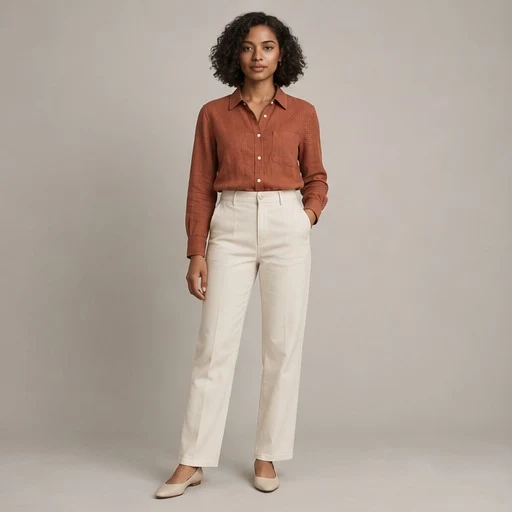
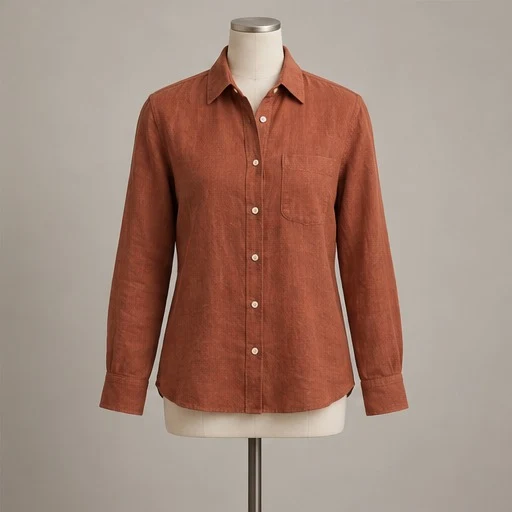
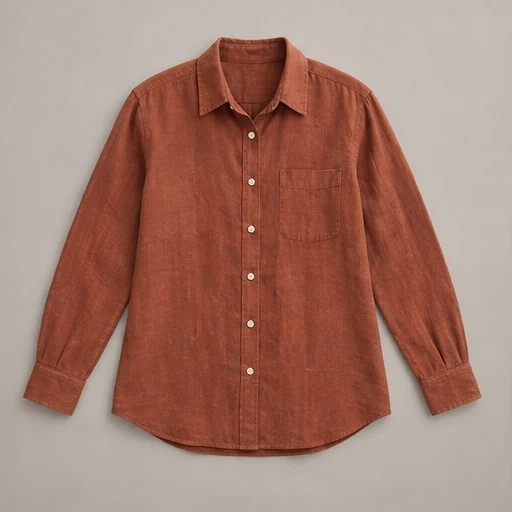
The lead image should make the item recognizable in a small product grid. The gallery should then answer the questions the thumbnail cannot: what the fabric looks like, how the back is constructed, what details are included and what condition the actual piece is in.
A 2018 study of second-hand marketplace images also found an association between image quality and an item being sold, while factors such as views were stronger sales predictors. That is observational evidence, not proof that improving a photo causes a fixed increase in sales.
The practical goal is a more useful gallery. Give the item a clear main view and retain original front, back, label, fabric and condition photos. A styled or on-model image can add context, but an AI model does not establish the garment’s measurements or fit.
3. Build a gallery that answers buying questions
Shopify’s product-photography guidance recommends keeping attention on the product and photographing useful angles. For clothing, build the sequence around what a buyer needs to inspect.
- A clear full view with the complete garment in frame.
- An original back view and close-ups of fabric, fastenings and construction.
- Accurate label, composition, size and measurement information.
- Visible wear, repairs or defects on the actual resale item.
- A relevant styled view when it accurately represents the piece.
Use a consistent crop across related listings so shoppers can compare products without each image feeling like a different shop. Keep texture visible and make sure branding does not cover the garment.
If you use AI staging, check colour, logos, prints, seams, buttons and condition deliberately. Do not use a cleaner-looking result that removes a flaw or invents a construction detail. Keep the original when a generated view cannot represent the item accurately.
4. Put the facts beside the photos
A shopper should not have to guess whether the garment is available in their size, how it is measured, what it is made from or whether it is new or pre-owned. Write those facts from the physical item and your records.
Explain your sizing approach and provide measurements where useful. A model photo is styling context; it does not prove that a particular size will fit a particular buyer. For resale, describe condition in plain language and show the relevant area in an original photo.
Keep price, size or variant selection, availability and the next buying step easy to find on a phone. If the item is no longer available, avoid sending new promotion traffic to a dead end; direct shoppers to an appropriate current collection.
5. Check the whole buying route
Start at the link in a social post or advertisement and follow it as a customer. Does it lead to the pictured piece or the relevant collection? Are delivery costs, timing and your return information easy to locate before checkout?
Shopify’s product-page guide considers the call to action, images, descriptions, pricing and trust information together. A visually strong product page still needs an obvious way to buy.
Test the route on a phone. Look for tiny size controls, covered buttons, slow image loads, confusing account requirements or an unexpected change in the price shown. Fix the obstruction you can identify before assuming that more advertising will solve it.
6. Give each photo a purpose beyond one post
Prepare a product-page image, an appropriate social crop and a collection view from reviewed photographs. Show a detail in one post and an outfit idea in another, with links that match what is pictured.
For a product range, keep a repeatable visual setting and consistent branding. For one-off resale stock, use the same routine while keeping each item’s original details and condition visible. Do not let visual consistency make different products appear interchangeable.
Ask permission before using customer images or identifiable people. A genuine photo of a customer wearing the product can add useful context, while a fictional AI model should remain clearly distinguishable from a customer endorsement.
7. Test the change and keep an eye on returns
Track relevant product-page visits, add-to-cart actions, checkout starts and completed orders. Record returns and customer questions as well: a photo that wins the click but creates the wrong expectation is not a good outcome.
| Where shoppers stop | What to inspect |
|---|---|
| Before the product page | Audience, discovery and the lead image. |
| Before adding to cart | Gallery, fit and condition information, price and availability. |
| During checkout | Delivery costs, payment flow and unexpected requirements. |
| After the order | Whether the delivered item matches the listing. |
If your store supports a split test, compare photo approaches for the same item while holding the offer steady. For one-off products, comparisons across different items are less reliable because demand, price and condition vary. Treat those comparisons as clues rather than proof.
Use enough observations to learn from the result. Avoid judging a new gallery on one order or comparing a sale weekend with a quiet ordinary week. Keep the most accurate, useful presentation even when a more dramatic image earns more clicks.
A practical plan for your next seven days
Choose and record
Pick a small collection and record visits, purchases and common customer questions.
Improve the listings
Refresh the lead images and original detail gallery. Clarify measurements, condition and delivery information.
Check the journey
Test checkout on a phone and review early data. Continue gathering results before declaring a winner.
Prepare a presentation that suits the piece.
Mannequin can stage a garment on a fictional adult model, a mannequin or a flat lay, then help prepare branded social images and collection lookbooks. Keep original detail photos and review every generated result.
Try 3 clothing photos free ↗Three lifetime trial credits with an account. No card required. Free exports carry the Mannequin watermark. AI images do not verify fit, size, measurements or condition.
Common questions
Do better clothing photos always increase sales?
No. Research supports their importance to evaluation, but demand, price, reach, sizing, availability and checkout also matter. Test with your own audience and track returns.
Can a generated model prove the fit of my garment?
No. A fictional model image is a presentation choice. Provide measurements and other facts from the real item; keep original detail photos available.
Should I replace my original resale photos?
Keep originals for the back, labels, measurements and visible condition. Use a staged photo only when it represents the actual piece accurately and fits the marketplace’s current image rules.
Research and sources
Sources checked October 20, 2026. Research describes its original setting; the action plans and examples are our recommendations. No sales lift has been measured for this app.
- Baymard: Product images and product evaluation ↗Usability study published in 2017; not a measured lift from AI-generated images.
- Ma et al.: Image Quality and Trust in Peer-to-Peer Marketplaces ↗Submitted 2018, WACV 2019. Association between image quality and sales; views were stronger predictors.
- Shopify: Taking product photographs ↗Practical photography advice.
- Shopify: Product page optimization ↗Guidance on the wider buying experience, reviewed September 2026.